Skip to content

michelcarlo

Microsoft 365, Power Platform and SharePoint related thoughts

New Sorting actions for arrays/tables In Power Automate: sort & reverse

  • Microsoft 365
  • Power Automate
October 1, 2022September 29, 2022 Michel Mendes 3 comments

How to use the new sort and reverse expressions in Power Automate to sort arrays or collections of objects.

Read Post

How to use Power Apps named formulas (experimental feature)

  • Microsoft 365
  • Power Apps
September 22, 2022September 22, 2022 Michel Mendes 1 comment

How to enable and use the new Named Formulas experimental feature in Power Apps.

Read Post

Creating a Planner Plan and adding it as a tab to the General channel of a Teams team using Power Automate & Microsoft Graph

  • Microsoft 365
  • Microsoft Teams
  • Power Automate
September 16, 2022September 2, 2023 Michel Mendes 13 comments

How to use Power Automate to Create a Planner Plan and also add the plan as a tab to the General channel of a Teams team.

Read Post

Using the ParseJSON function and a generic flow to call any SharePoint Rest API endpoint and manipulate the results from Power Apps

  • Microsoft 365
  • Microsoft Lists
  • Power Apps
  • Power Automate
  • SharePoint Online
September 13, 2022October 16, 2022 Michel Mendes 2 comments

How to use the new ParseJSON option in combination with Power Automate to send requests to the SharePoint Rest API and parse them back, in a generic way.

Read Post
Two approaches to replace all occurrences of a value in a String using SharePoint list formatting: replaceAll & split + join

  • Microsoft 365
  • Microsoft Lists
September 10, 2022October 16, 2022 Michel Mendes 3 comments

How to replace all occurrences of a value in a string using SharePoint JSON list formatting replaceAll or split + join operators.

Read Post

Folders-enabled SharePoint lists: Trigger a Flow only when Folders are modified VS only when Items (not folders) are modified

  • Microsoft 365
  • Microsoft Lists
  • Power Automate
  • SharePoint Online
September 3, 2022September 16, 2022 Michel Mendes 1 comment

How to trigger a Power Automate flow only when SharePoint list items are modified (and ignore folders) and vice-versa.

Read Post
New ‘Send an HTTP request’ actions for Office 365 Groups, Outlook and Office 365 users in Power Automate

  • Microsoft 365
  • Power Apps
  • Power Automate
August 24, 2022September 20, 2022 Michel Mendes 3 comments

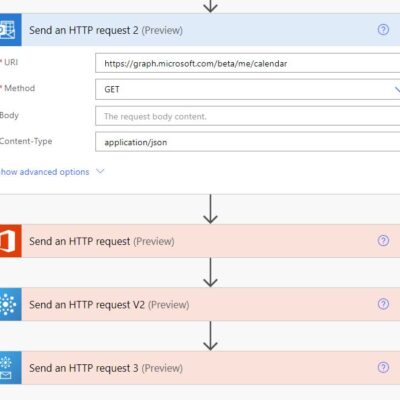
Overview of new Power Automate new actions that allow calling the Graph API under the Office 365 connector.

Read Post

Moving a Canvas app into a solution and keeping the associated URL and ID in different environments

  • Microsoft 365
  • Power Apps
  • PowerShell
July 16, 2022September 16, 2022 Michel Mendes 1 comment

Using the Set-AdminPowerAppDesiredLogicalName PowerShell cmdlet to move a Canvas app into a solution and keeping the associated URL and ID in different environments

Read Post

Updating list views JSON formatters for a SharePoint list using Power Automate

  • Microsoft 365
  • Power Automate
  • SharePoint Online
June 8, 2022July 9, 2022 Michel Mendes 1 comment

How to update all public views custom JSON formatters for a SharePoint list using Power Automate.

Read Post

SharePoint lists custom View and Edit Buttons using JSON Formatting

  • Microsoft Lists
  • SharePoint Online
May 19, 2022May 19, 2022 Michel Mendes 33 comments

How to create custom Edit and View buttons in SharePoint lists using list formatting JSON.

Read Post

Posts navigation

«Previous Posts 1 … 6 7 8 9 10 … 13 Next Posts»
About me
Michel Mendes
Microsoft 365 & Power Platform Consultant/Developer

Follow @michelcarlo
Michel Mendes

Useful Resources

  • Microsoft Applied Skills: Create agents in Microsoft Copilot Studio
  • Extend Power Pages – Learning Path
  • Get Started with Power Pages – Learning Path
  • Power Pages Training Videos
  • Get Started with Microsoft 365 Copilot – Learning path
  • Power Automate Licensing FAQ
  • FAQ – SharePoint Add-In and Azure ACS retirement in Microsoft 365
  • How Teams and SharePoint work together
  • SharePoint List Formatting 101
  • SharePoint List Formatting Syntax Reference
  • SharePoint Framework Tutorials
  • SharePoint REST API: Get Started
Tweets by michelcarlo

Recent Posts

  • How to Dynamically Filter by Current User when using Custom access Table Permissions in Power Pages
  • Power Pages “Custom access” table permissions: A way to avoid using Global scope permissions
  • Quick Fix: Power Pages CSP Errors on New Environments (unsafe-eval & unsafe-inline)
  • Power Automate: Generate a SharePoint sharing link for a file for viewing but prevent downloading it
  • Run pac pages using DevOps classic release pipelines

Recent Comments

  • Microsoft Roadmap, messagecenter and blogs updates from 18-05-2026 - KbWorks - SharePoint and Teams Specialist on Power Automate: Generate a SharePoint sharing link for a file for viewing but prevent downloading it
  • Power Automate: Generate a SharePoint sharing link for a file for viewing but prevent downloading it – 365 Community Online on Power Automate: Generate a SharePoint sharing link for a file for viewing but prevent downloading it
  • Microsoft Roadmap, messagecenter and blogs updates from 08-04-2026 - KbWorks - SharePoint and Teams Specialist on How to preview PDF files in Power Pages using the Nutrient SDK: Part 2 – Saving annotations to Dataverse and loading them back
  • How to preview PDF files in Power Pages using the Nutrient SDK: Part 2 – Saving annotations to Dataverse and loading them back – 365 Community Online on How to preview PDF files in Power Pages using the Nutrient Web SDK: Loading files
  • How to preview PDF files in Power Pages using the Nutrient SDK: Loading files – 365 Community Online on How to preview PDF files in Power Pages using the Nutrient Web SDK: Loading files

Categories

  • AI Builder
  • Azure
  • Azure Devops
  • Branding
  • Configuration
  • CSOM
  • Dataverse
  • Development
  • Dynamics 365
  • Flow
  • IT Pro
  • Microsoft 365
  • Microsoft Graph
  • Microsoft Lists
  • Microsoft Teams
  • PnP
  • Power Apps
  • Power Automate
  • Power BI
  • Power Pages
  • PowerShell
  • Project Online
  • SharePoint Online
  • Tech Tips
About me
Michel Mendes
Microsoft 365 & Power Platform Consultant/Developer

Follow @michelcarlo
Michel Mendes

Useful Resources

  • Microsoft Applied Skills: Create agents in Microsoft Copilot Studio
  • Extend Power Pages – Learning Path
  • Get Started with Power Pages – Learning Path
  • Power Pages Training Videos
  • Get Started with Microsoft 365 Copilot – Learning path
  • Power Automate Licensing FAQ
  • FAQ – SharePoint Add-In and Azure ACS retirement in Microsoft 365
  • How Teams and SharePoint work together
  • SharePoint List Formatting 101
  • SharePoint List Formatting Syntax Reference
  • SharePoint Framework Tutorials
  • SharePoint REST API: Get Started
Tweets by michelcarlo

Recent Posts

  • How to Dynamically Filter by Current User when using Custom access Table Permissions in Power Pages
  • Power Pages “Custom access” table permissions: A way to avoid using Global scope permissions
  • Quick Fix: Power Pages CSP Errors on New Environments (unsafe-eval & unsafe-inline)
  • Power Automate: Generate a SharePoint sharing link for a file for viewing but prevent downloading it
  • Run pac pages using DevOps classic release pipelines

Recent Comments

  • Microsoft Roadmap, messagecenter and blogs updates from 18-05-2026 - KbWorks - SharePoint and Teams Specialist on Power Automate: Generate a SharePoint sharing link for a file for viewing but prevent downloading it
  • Power Automate: Generate a SharePoint sharing link for a file for viewing but prevent downloading it – 365 Community Online on Power Automate: Generate a SharePoint sharing link for a file for viewing but prevent downloading it
  • Microsoft Roadmap, messagecenter and blogs updates from 08-04-2026 - KbWorks - SharePoint and Teams Specialist on How to preview PDF files in Power Pages using the Nutrient SDK: Part 2 – Saving annotations to Dataverse and loading them back
  • How to preview PDF files in Power Pages using the Nutrient SDK: Part 2 – Saving annotations to Dataverse and loading them back – 365 Community Online on How to preview PDF files in Power Pages using the Nutrient Web SDK: Loading files
  • How to preview PDF files in Power Pages using the Nutrient SDK: Loading files – 365 Community Online on How to preview PDF files in Power Pages using the Nutrient Web SDK: Loading files

Categories

  • AI Builder
  • Azure
  • Azure Devops
  • Branding
  • Configuration
  • CSOM
  • Dataverse
  • Development
  • Dynamics 365
  • Flow
  • IT Pro
  • Microsoft 365
  • Microsoft Graph
  • Microsoft Lists
  • Microsoft Teams
  • PnP
  • Power Apps
  • Power Automate
  • Power BI
  • Power Pages
  • PowerShell
  • Project Online
  • SharePoint Online
  • Tech Tips