How to use the Viewer object to filter data by the current user in Cards for Power Apps.
Read PostCategory: Power Apps
Using Power Automate to send cards built with Cards for Power Apps in Teams
How to use Power Automate and Cards for Power Apps to send cards in Teams when items are added to a SharePoint list.
Read Post
Handling variables in SharePoint custom forms built with Power Apps
How to use the SharePoint integration events to handle variables correctly in a custom form built with Power Apps.
Read Post
Making a Canvas app become Teams & SharePoint theme aware (with the help of the PnP Enhanced Power Apps WebPart)
Using the PnP Enhanced PowerApps WebPart and Teams theme parameter to detect SharePoint / Microsoft Teams themes in a Canvas app and make it SharePoint & Teams theme aware at the same time.
Read Post
Build powerful Adaptive Card experiences for Teams using Cards for Power Apps
Overview of Cards for Power Apps, new features, differences with a standard Canvas App and how it currently integrates with Teams.
Read Post
Ignite 2022: Curated list of posts from Microsoft related to Microsoft 365 and Power Platform
Curated list of Official Ignite 2022 blog posts from Microsoft with updates related to Microsoft 365 collaboration tools (SharePoint, Viva, Teams, Microsoft 365 Development) and Power Platform.
Read Post
Calling Graph API using a flow and manipulating the results from Power Apps using the ParseJSON function
How to use the new ParseJSON option in combination with Power Automate to send requests to the Graph API and parse them back in the app, in a generic way.
Read Post
How to use Power Apps named formulas (experimental feature)
How to enable and use the new Named Formulas experimental feature in Power Apps.
Read Post
Using the ParseJSON function and a generic flow to call any SharePoint Rest API endpoint and manipulate the results from Power Apps
How to use the new ParseJSON option in combination with Power Automate to send requests to the SharePoint Rest API and parse them back, in a generic way.
Read Post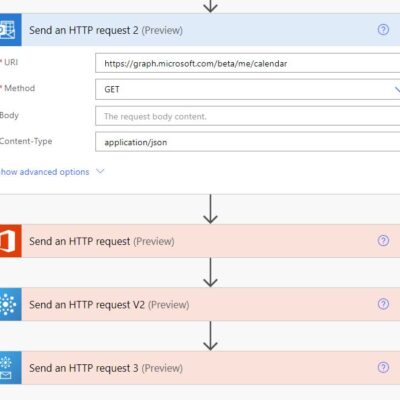
New ‘Send an HTTP request’ actions for Office 365 Groups, Outlook and Office 365 users in Power Automate
Overview of new Power Automate new actions that allow calling the Graph API under the Office 365 connector.
Read Post About me
Michel Mendes
Microsoft 365 & Power Platform Consultant/Developer
Follow @michelcarlo
Michel Mendes

About me
Michel Mendes
Microsoft 365 & Power Platform Consultant/Developer
Follow @michelcarlo
Michel Mendes

Recent Comments